Article originally posted on Medium.


Written by Cesar Segura, SME at SDG Group.
Welcome to the next episode of the Snowflake Intelligence and AI series.
In the last episode, I showed how to implement a real use case using Snowflake Intelligence to provide access to structure and non-structure data for your stakeholders.
But in this episode, our objective will be to build a RAG application for DataGovernance purposes with Cortex Agents powered by Cortex Analyst, Custom Tools & CKE and finally using Snowflake Intelligence. This would be the functionality of this AI application:
Friendly reminder: The definition of Snowflake Intelligence is the new AI feature based on a UI interface available in order to use Data Agents to provide a RAG Corporative application to your stakeholders.
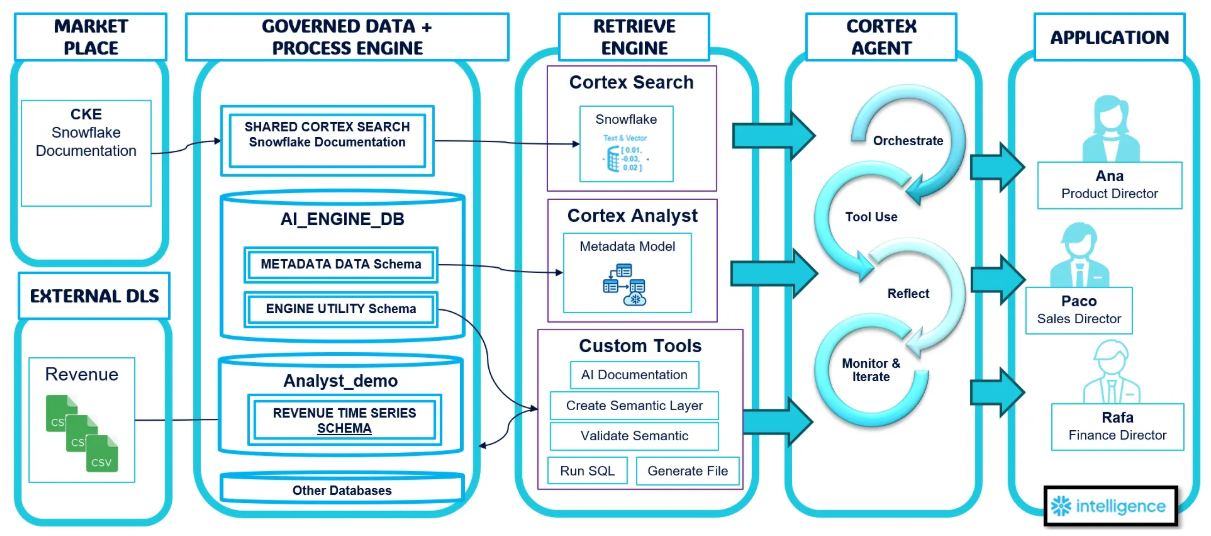
Snowflake Intelligence will be the UI in charge to communicate all the user requests to the Cortex Data Agent.
It will the CDA (Cortex Data Agent) the powerful feature in charge to orchestrate all the requests done by the user, analyzing, breaking out in multiple tasks, gives a correct answer and finally monitor the conversations and iterate about these ones to provide a better User experience.
The phase when there are the different tools used by Cortex Data Agent.
The place where is stored all data objects needed by the tools.
AI_ENGINE_DB.AI_ENGINE_SCHEMA schema will contain all the AI engine procedures tools.
AI_ENGINE_DB.AI_METADATA_SCHEMA schema will contain all the metadata information, semantic models and views deployed (by default).
It will be in charge to orchestrate, plan, execute the different tools in order to provide the feedback and response to the user. In a similar way we used and specified our setup in the prior article, we will configure the properly description, instructions, tools, orchestration and permissions.
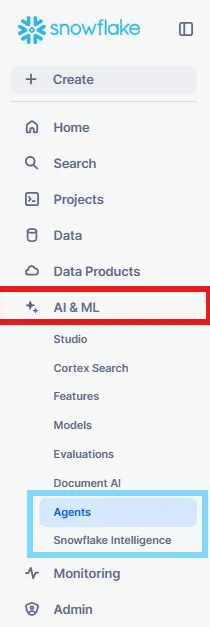
We will access to Data Agents you could find it here:
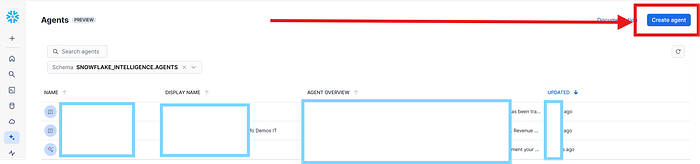
Once we click on Create Agent, we will proceed through the different options below.
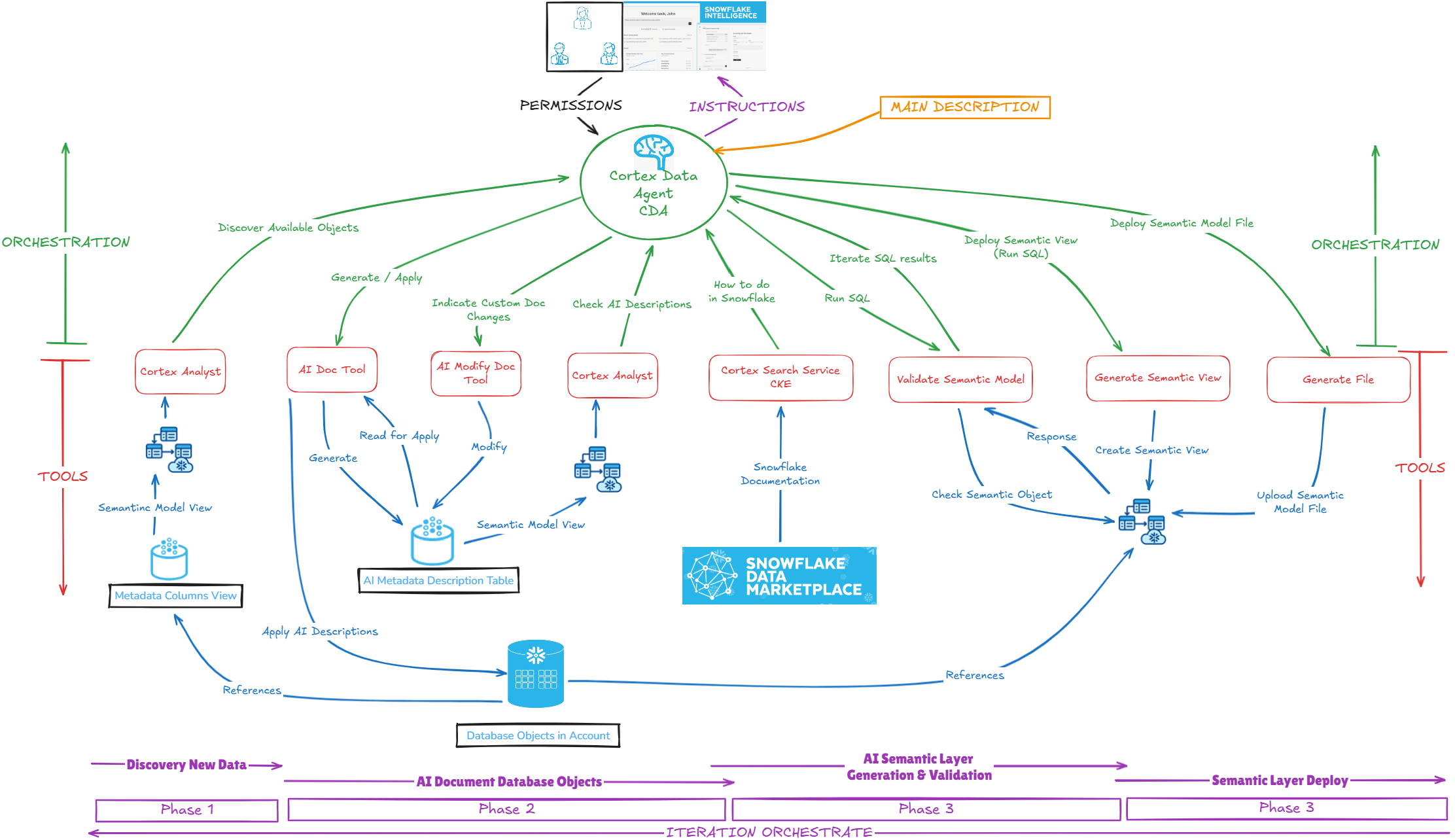
Here we differentiate different aspect we will have to apply, in the Setup specification and are reflected on each part of the architecture diagram:
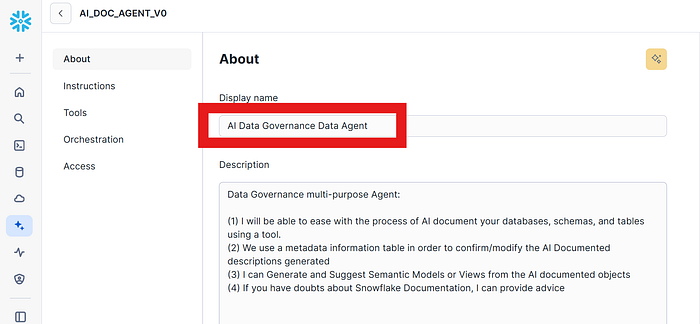
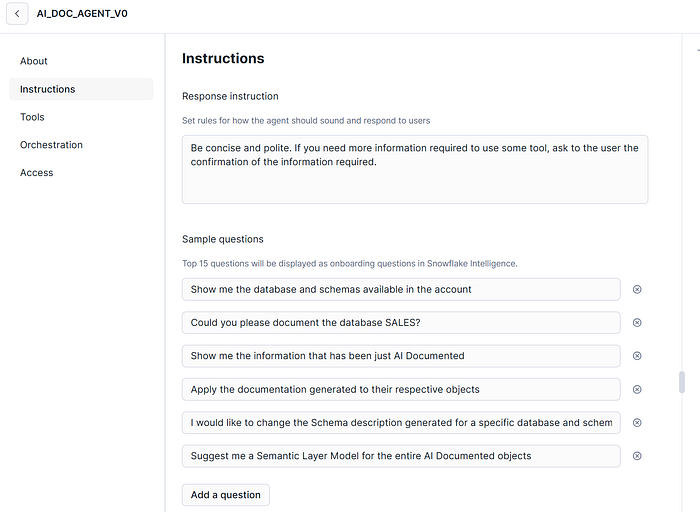
Here, you will see that there are 3 options we can use based on build ones and custom ones. We are going to use all of them.
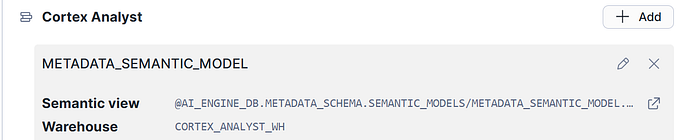
We will specify a semantic model YAML file that contains information about the metadata. The configuration is the full path in the stage to the file.
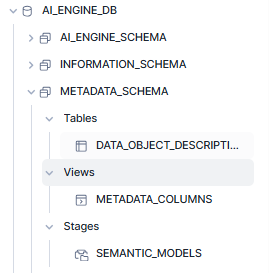
- Metadata_Columns View: Information about the database objects to be discovered and available to access, in order to generate Metadata.
- Data_Object_Descriptions Table: Current Information generated through the AI DOC tool process.

Integrate the official Snowflake Documentation content delivering real-time answers for AI applications and teams working with Snowflake using Cortex Knowledge Extensions | Snowflake Documentation
So you only have to GET the below Snowflake: Snowflake Documentation | Snowflake Marketplace CKE from MarketPlace.
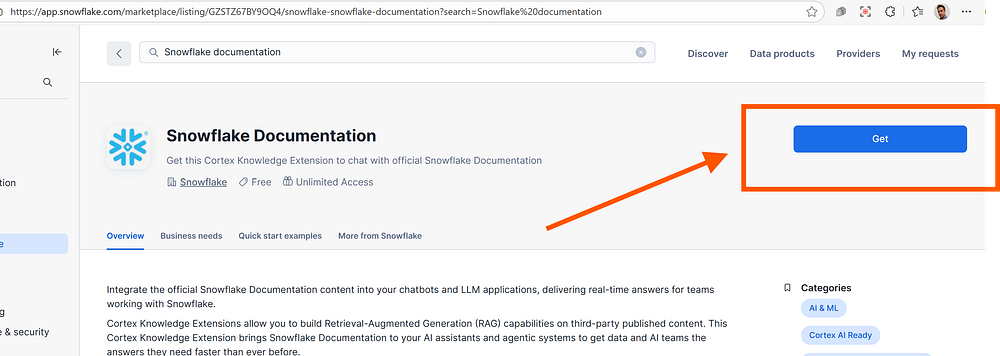
This will install a Shared Cortex Search that will contains Snowflake Documentation updated automatically. 0 maintenance by your own, only pay for compute usage.
In custom tools, you can specify both Snowflake functions and Snowflake procedures objects. In our case, we have specified all procedures.
Take into consideration that specifying a good description will allow to the Data Cortex Agent easily identify what tool must use for what specific task, avoiding unuseful iterations and bad actions.
2.3.3.1 <Tool 1: AI DOCument>
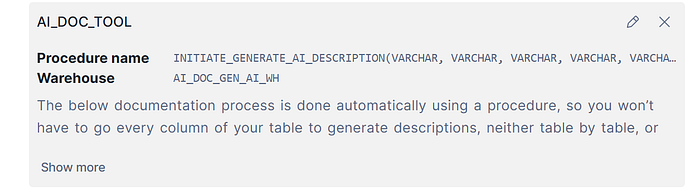
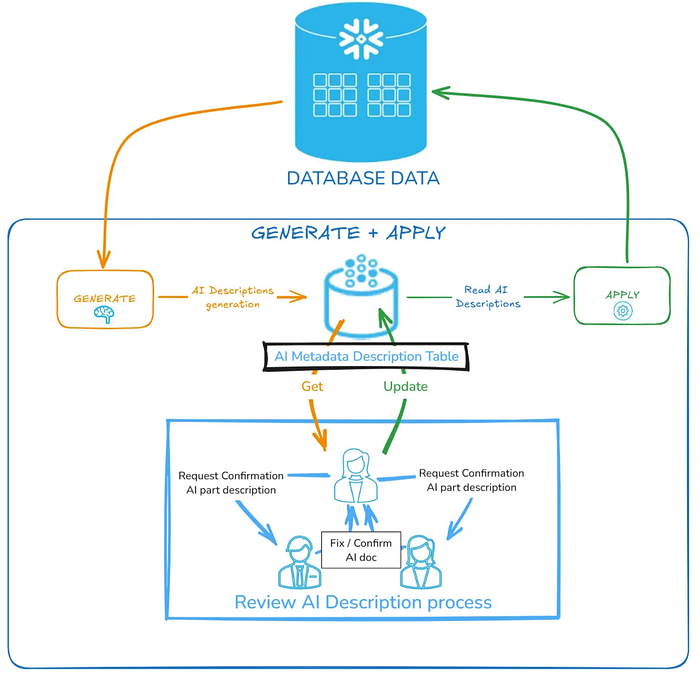
This tool has been extracted from other article I wrote sometime that allows you generate AI descriptions to every object in your databases, and using an intermediate metadata table (the specified in the AI semantic metadata model) will apply these descriptions to corresponding objects.
The initial code is the below:
|
CREATE OR REPLACE PROCEDURE initiate_generate_ai_description(
model_name STRING, database_name STRING, schema_name STRING, table_name STRING , column_name STRING , action STRING, parallel_degree int, parallel_degree_table int, max_words_length_description int, show_sensitive_info boolean, sample_rate int, type_of_object string, initialization boolean ) RETURNS STRING LANGUAGE SQL EXECUTE AS CALLER AS DECLARE sampled_values STRING; generated_description STRING; full_table_name STRING; list_sql_execute ARRAY; column_name_individual STRING; table_name_individual STRING; schema_name_individual STRING; run_id datetime default current_timestamp(); desc_show_sensitive_info STRING DEFAULT 'Don''t show sensitive information in the description.'; type_of_object_individual STRING; view_of_columns STRING; view_of_tables STRING; view_of_schemas STRING; query STRING; rs RESULTSET; BEGIN IF (:initialization) THEN truncate table AI_ENGINE_DB.metadata_schema.data_object_descriptions; END IF; IF (upper(:schema_name)='NULL') THEN schema_name_individual := NULL; ELSE schema_name_individual := :schema_name; END IF; IF (upper(:table_name)='NULL') THEN table_name_individual := NULL; ELSE table_name_individual := :table_name; END IF; IF (upper(:column_name)='NULL') THEN column_name_individual := NULL; ELSE column_name_individual := :column_name; END IF; CALL AI_ENGINE_DB.AI_ENGINE_SCHEMA.generate_ai_description(:model_name, :database_name, :schema_name_individual, :table_name_individual, :column_name_individual, :action, :parallel_degree,:parallel_degree_table, :max_words_length_description, :show_sensitive_info,:sample_rate, NULL); RETURN 'AI Main Documentation Process completed successfully'; END; ; |
You can check the full article here to get the code of the tool.
2.3.3.2 <Tool 2: AI DOC Modify Description>
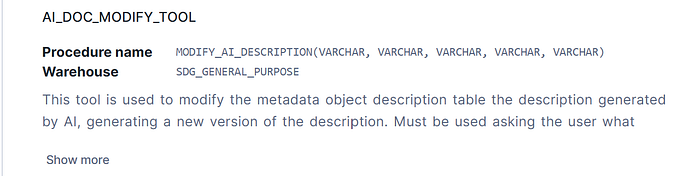
This tool is used to modify the metadata object description table the description previously generated by AI, but generating a new version of the description specified by the user.
The code is below:
| CREATE OR REPLACE PROCEDURE modify_ai_description( database_name STRING, schema_name STRING, table_name STRING , column_name STRING , generated_description STRING ) RETURNS STRING LANGUAGE SQL EXECUTE AS CALLER AS DECLARE run_id datetime default current_timestamp(); model_name STRING DEFAULT 'N/A'; BEGIN -- Store the generated description in metadata INSERT INTO AI_ENGINE_DB.metadata_schema.data_object_descriptions (run_id,model_name,database_name, schema_name, table_name, column_name, description) VALUES (:run_id, :model_name, :database_name, :schema_name, :table_name, :column_name, :generated_description); RETURN 'Modification AI Metadata Description Process completed successfully'; END; ; |
2.3.3.3 <Tool 3: Generate Semantic Model File>
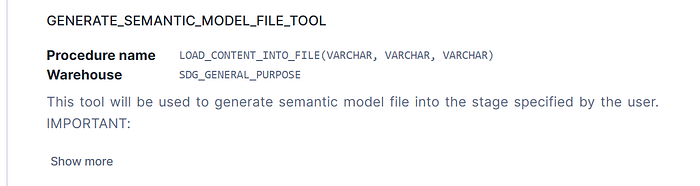
This tool is used to generate a Semantic Model file based into the value provided by the RAG that contains YAML, and specified in one of the parameters specified in the procedure. Parameters are file name, file stage full path and file content. By security reasons, in the tool the stage path will be restricted into the working ones.
If you want to know more about this procedure code, check my below article.
2.3.3.4 <Tool 3: Create Semantic View>
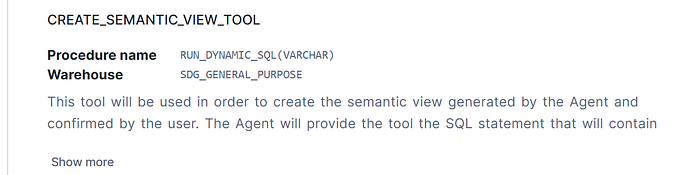
This tool is used to generate a Semantic View based into the value provided by the RAG that CREATE sql statement, and specified in one of the parameters specified in the procedure. Parameters are SQL_STATEMENT. By security reasons, in the tool will be restricted the types of the SQL can be used, only allowing creating or droping semantic views. It will be restricted the place where the semantic views are being created, but you can change it.
The code is the below:
CREATE OR REPLACE PROCEDURE AI_ENGINE_SCHEMA.run_dynamic_sql(sql_command STRING)
|
2.3.3.5 <Tool 5: Validation Semantic Model>
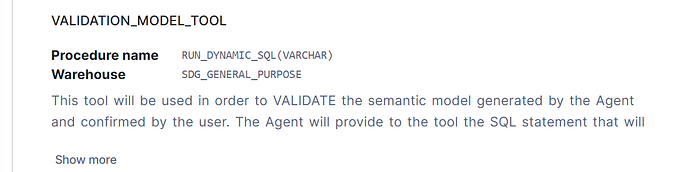
This tool is used to validate a Semantic Model based into the value provided by the RAG that will be a SQL statement. The Data Agent checking the Snowflake Cortex CKE Search Service in order to know how to check semantic models will use it in order to verify the integrity of your Semantic Layer.
The magic is here: No manuallities, no hardcoding, only easy and apply best practices following online Snowflake documenation. Parameter is a SQL_STATEMENT. By security reasons, in the tool will be restricted the types of the SQL can be used, only allowing not ALTERING existing database objects.
The SQL code of the procedure is same than Creation Semantic Model Tool. I have to recognize :) I am working on a improvement of this Tool, once I have finished I will publish and update this article with the changes!
Your goal is to apply the ORCHESTRATION Diagram Architecture part but indicating flow functionalities and specifications.
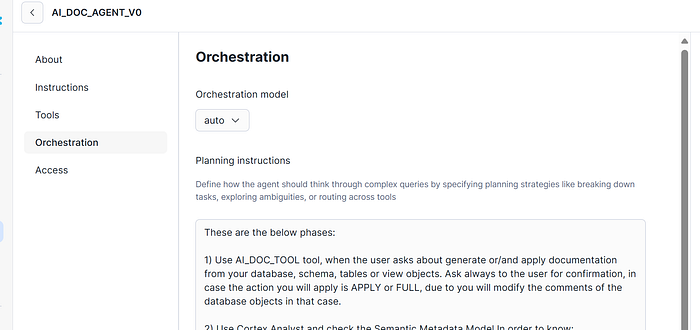
This one of the most important part of the DataAgent, translating how to orchestrate the interactions from the different tools you are using. It’s recommended to use a clear, organized and without contradictions instructions to specify how the Data Agent must work. Not applying these rules could cause that you will face some misbehaviours in your SI RAG application.
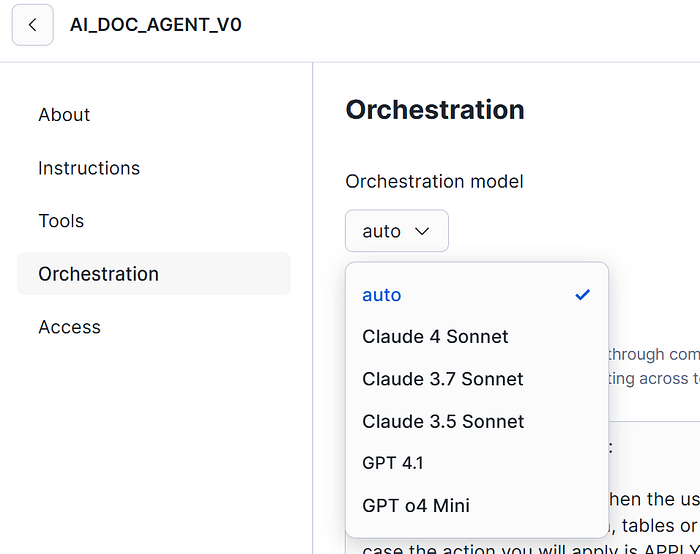
For the Orchestration model management, on my case, I will specify in “auto” the election. This option will allow to the DataAgent automatically choose the different LLMs available model to make it fluent, performant and provide better results depending of the question and context. But if you are more comfortable with one specific, at the moment of writing this article these are the below available:
Now we are going to explore, document and provide data contracts (Semantic Layer objects) to our users using Snowflake Intelligence with our Cortex AI Data Agent.
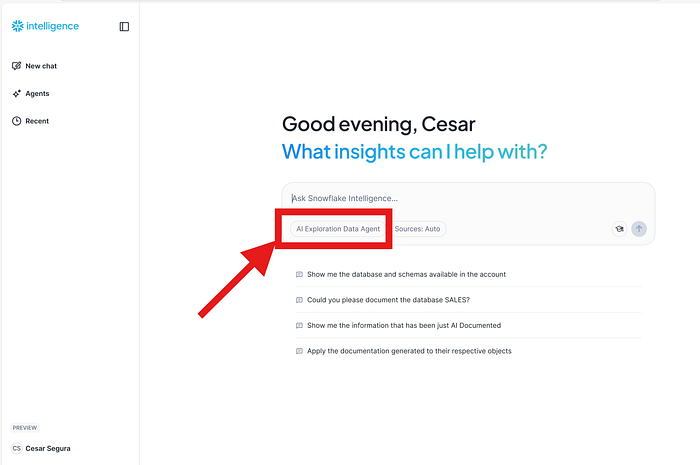
Starting opening Snowflake Intelligence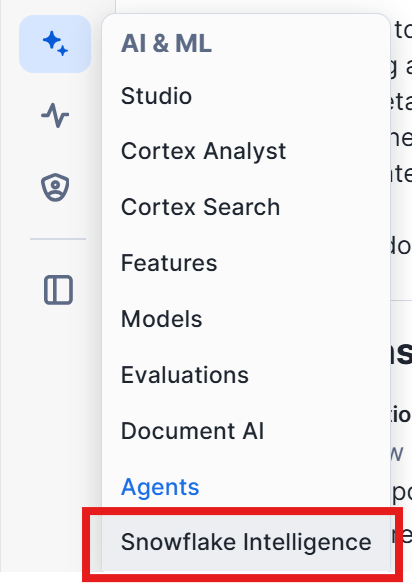 Be sure, to select our Data Agent that has been just created:
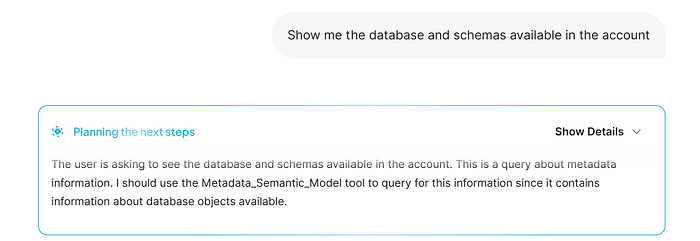
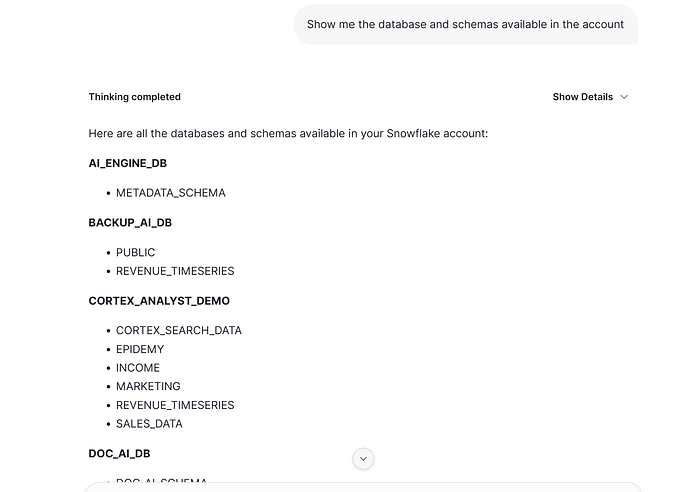
Firstly, we are going to discover what information I can see in order to discover it:
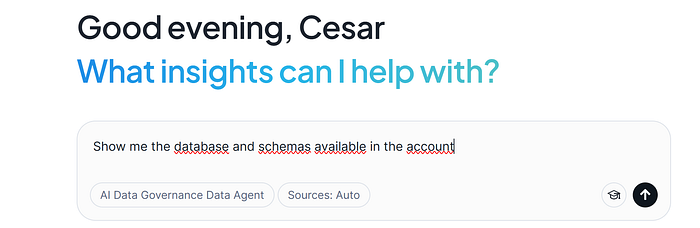
SI shows that is checking the Semantic Model to check this information:
The response is:
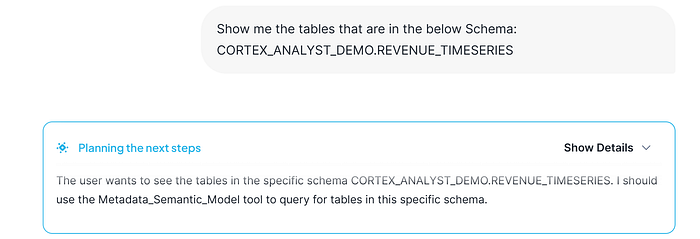
But our purpose now, it will be to AI document our databases. We are gonna start with one of these schemas. But previously, we would like to check what contains this schema:
Response showed by SI:
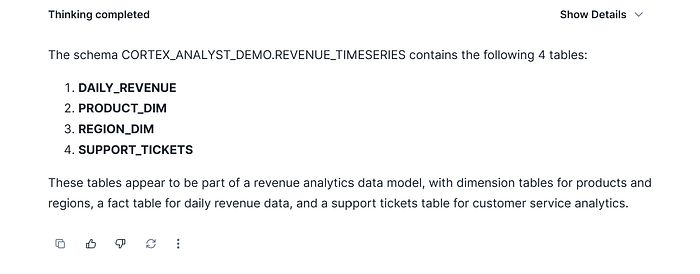
So good, now we are comfortable with the information we want to generate AI Documentation. We could also navigate and discover further showing what columns are available, or filter them, etc but imagine that all this job now is done.
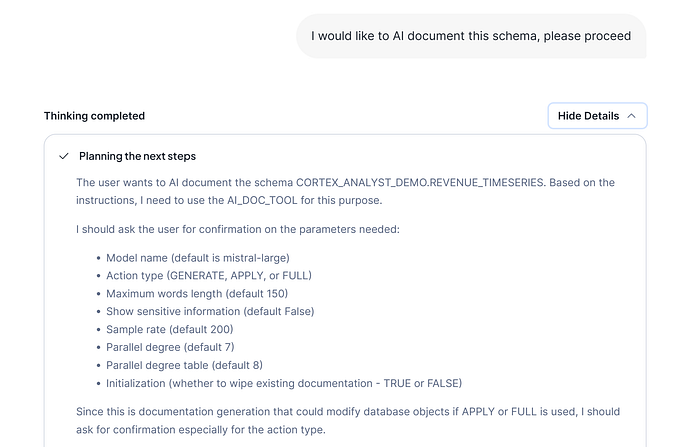
The Data Agent really knows has to use AI Doc Tool to document the desired objects, but it need to ask to the user some specification previously defined and needed in AI documentation process:
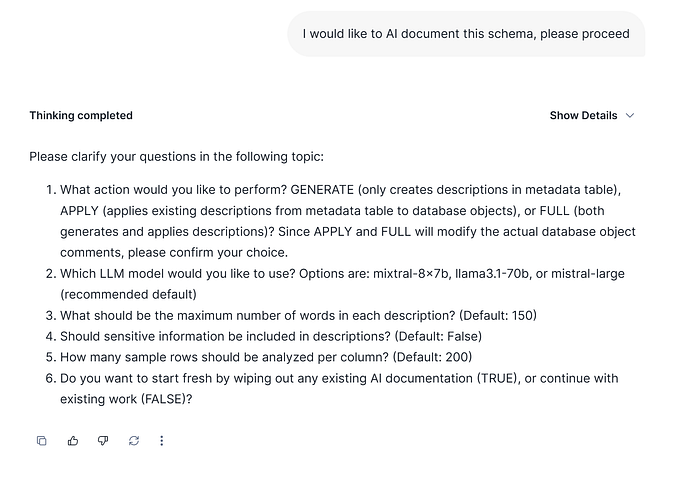
In that case, are different parameters needed that you can use by default but you have to pay attention on this. This behavior is described on the AI Doc Tool article mentioned earlier.
Our intention now will be only generate description to previously checking and iterate the information before to apply descriptions. We will specify that we are gonna start and if there are any current description generated on the current AI metadata description table that must be wiped out.
Step by step now…
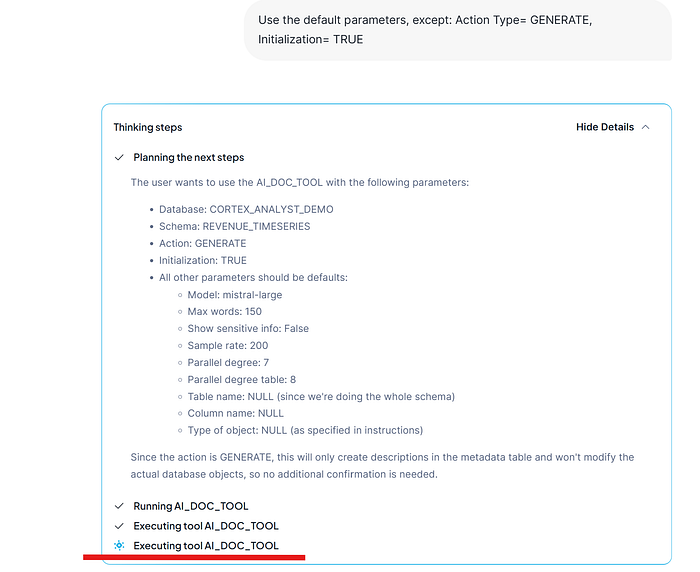
It takes no more than a few seconds, there are not too much objects to generate and the AI Doc process tool use good techniques to get a good performance.
The response of SI, show us that the process has finished, and it ask us about if we want to review the information generated.
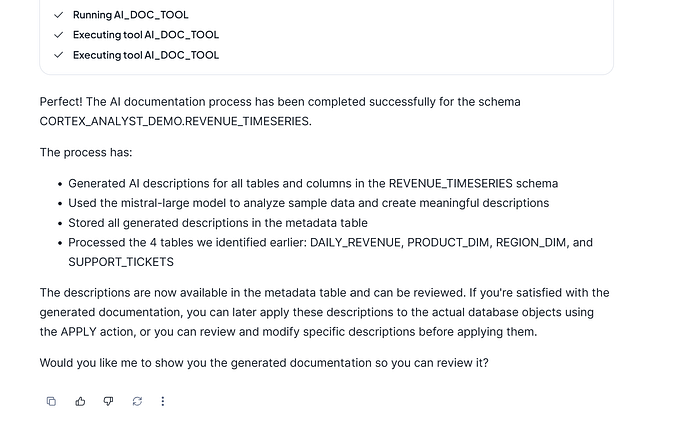
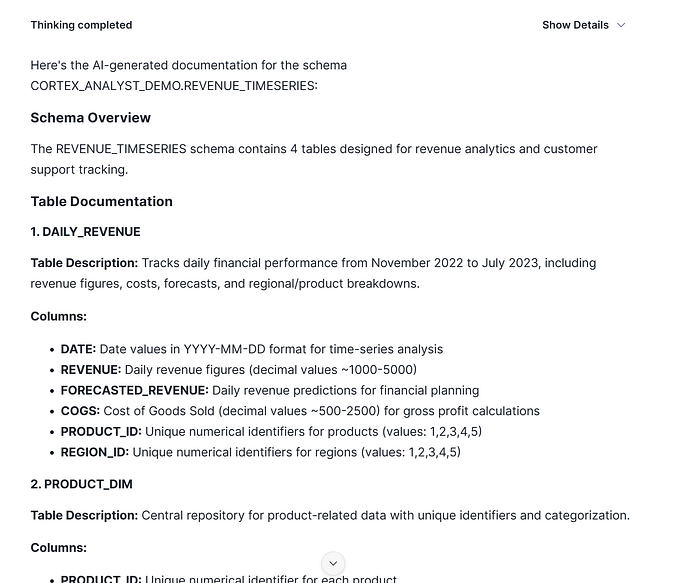
So, as a part of the DG process we are gonna check the information, we confirm to SI, so it will use again Semantic Model about Metadata to show us the information just been generated:
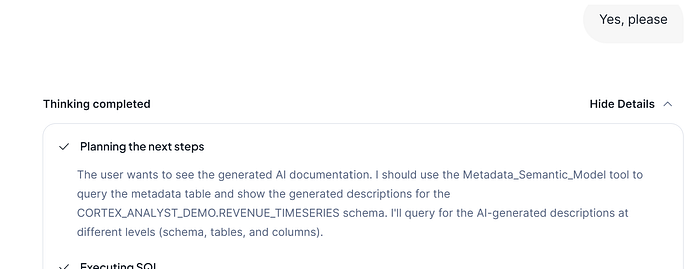
And finally the summary:
<Iterate over more info>
Now, I am interested to check some tables and columns, so I will ask it about for further review. But in any case, it can be used as you wish, search for specific information, etc… so it will be able to interact with the user.
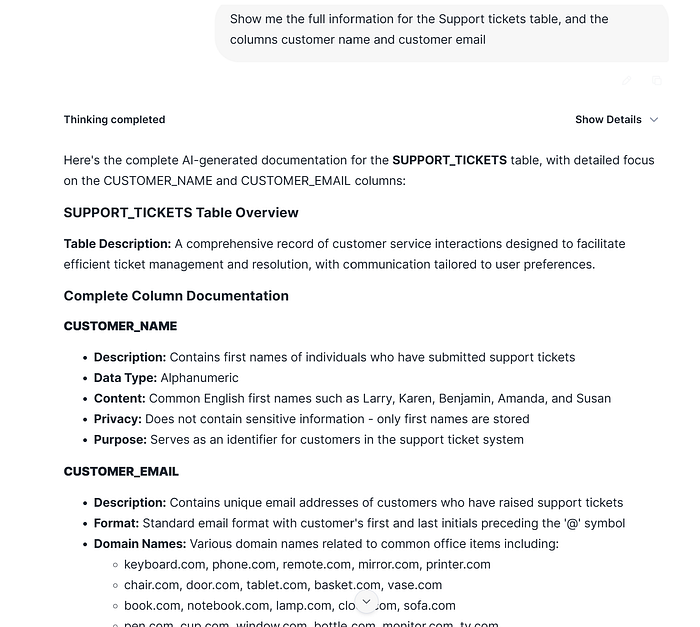
Unfortunately, I am not comfortable for some specific content, so in that case, here comes into the game the different interaction with the user, or you can delegate to the user themselves to review/modify their own descriptions.
I will want to change some information:
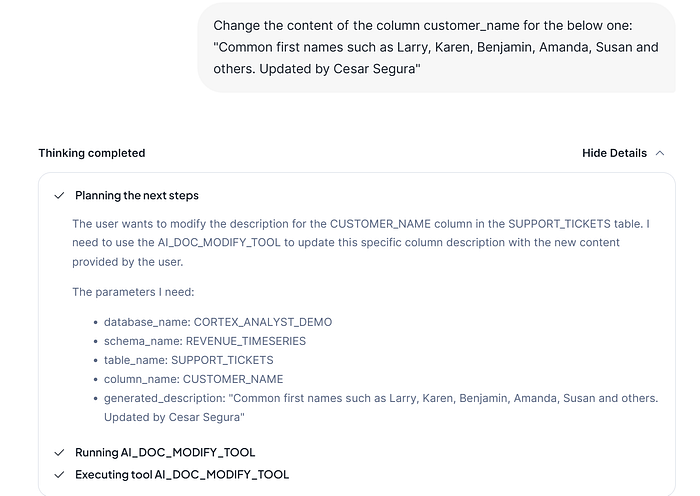
The Cortex Data Agent detects that it has to use AI Doc Modify Tool, it will apply the changes I have suggested to make the changes.
The response given by the Data Agent is the successfully action has been done, and asks about how to proceed next.
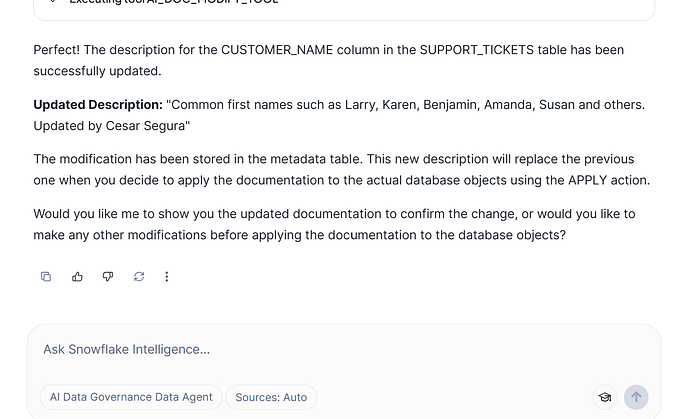
If we are done all changes to our AI documentation, we are gonna proceed to review the information generated. Again, pay attention that it can be done many other interactions to finally get the information reviewed, such as back again to re-generate full or part of the AI documentation changing some features, changing some descriptions, etc…
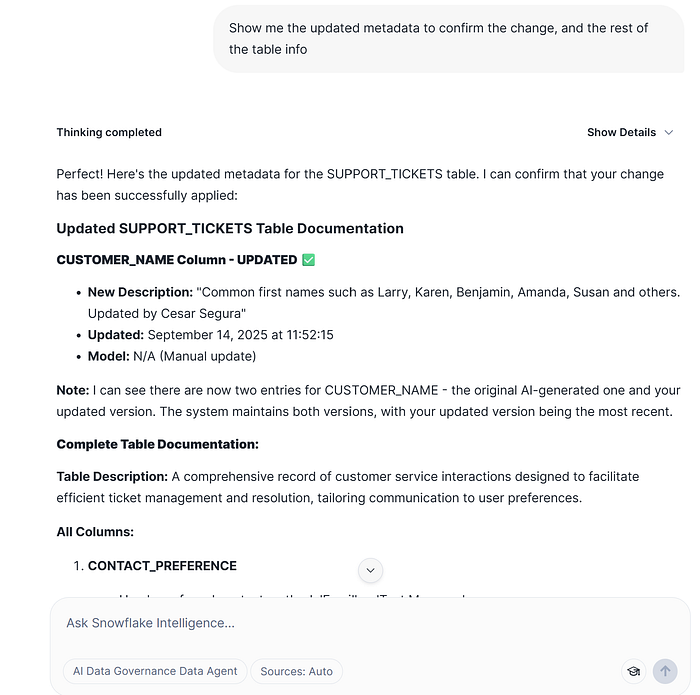
Once it confirms that all changes have been done, and finally we are comfortable with the information we get we can go on to apply changes. The CDA (Cortex Data Agent) suggest us for the next steps following our indications and guardrails specified. But here there are different approaches you can do, the limit is your imagination :)
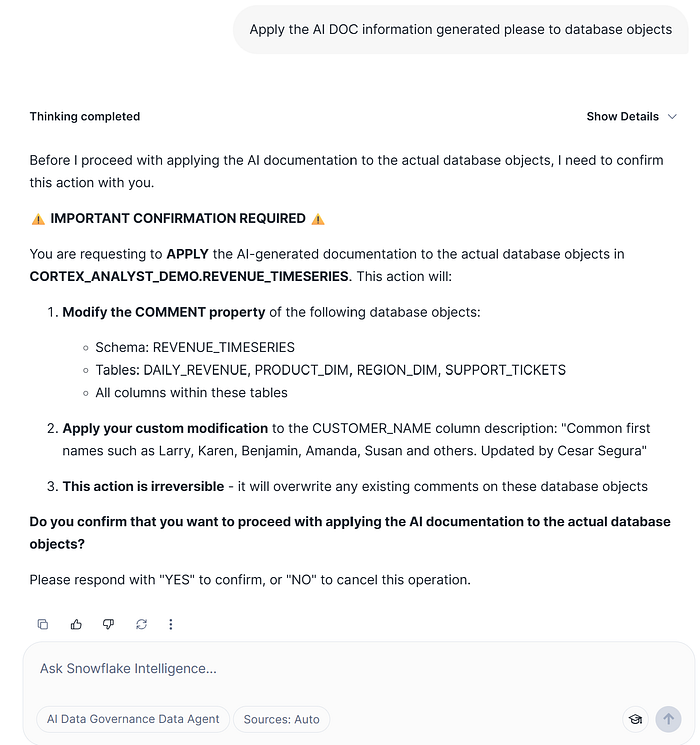
CDA (Cortex Data Agent) ask for confirmation about the action will be taken, this will modify the data object comments in the database. We are gonna confirm, but you can also ask about generate all the needed SQL statements for further uses in your CI/CD pipelines.
Again, CDA going on using AI DOC Tool:
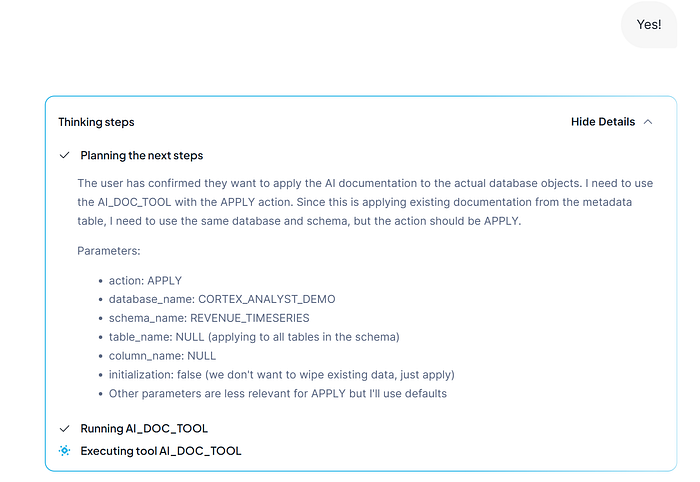
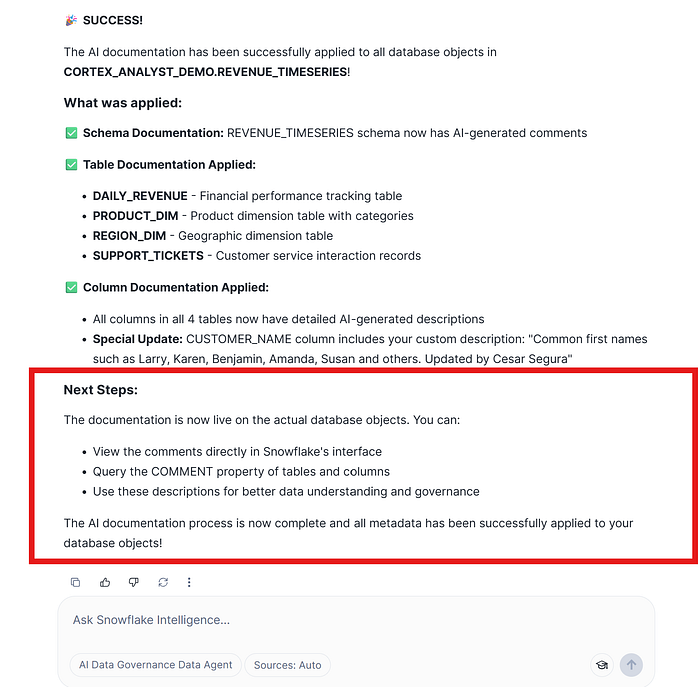
And finally, the response, confirmation and suggestion for next steps done by CDA:
Now, we are going to check that the changes have been correctly applied using the Snowsight UI interface.
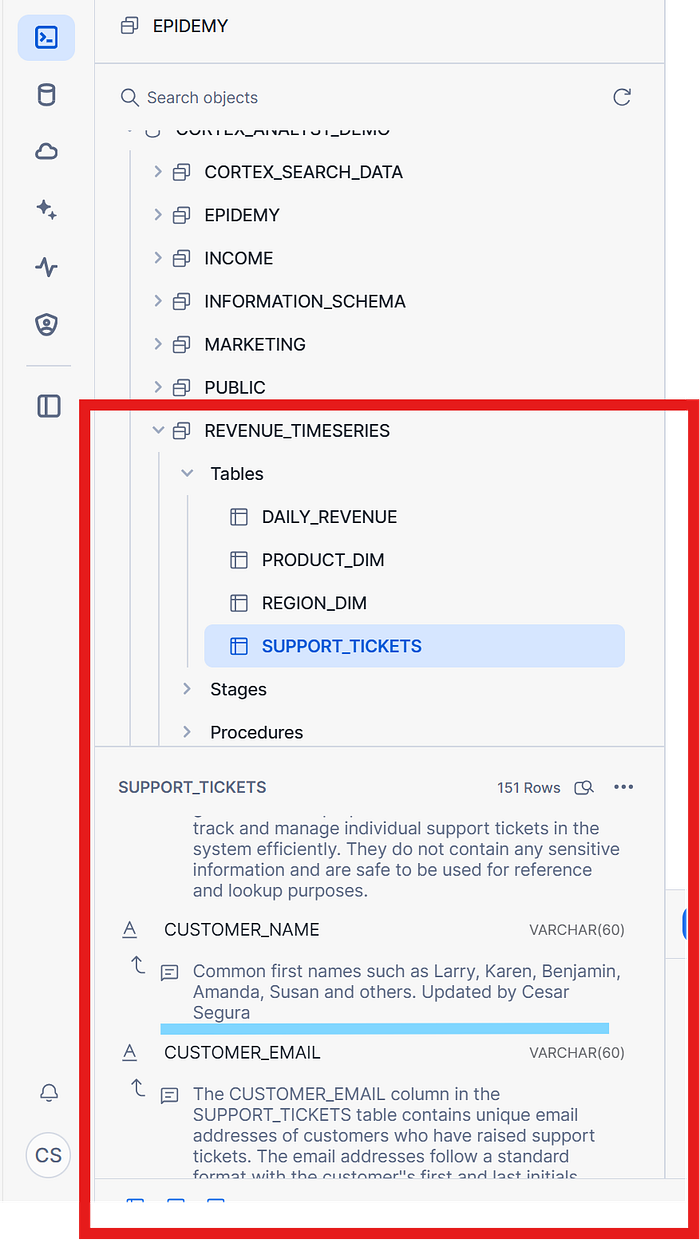
The tool as per confirmation, has been documented all objects entire schema, in addition, I am paying special attention on our specific change we made in our DataGovernance interactions.
Remember that the data do not used, it has not value, so your data platform doesn’t make sense due to is not achieving your objective provide benefit to your business using your data.
So our intention on this part, it will be to easily generate semantic views / models in order to provide it to other applications to access the data. We won’t need to know any context about how to generate it, etc… the CDA it will have the enough intelligence to do it by itself.
On the same chat (you can also open other one), we will ask to generate a Semantic Layer but with the information that it really interest us and it has been AI generated, in that case only with SALES related. Remember here, your imagination is your limit.
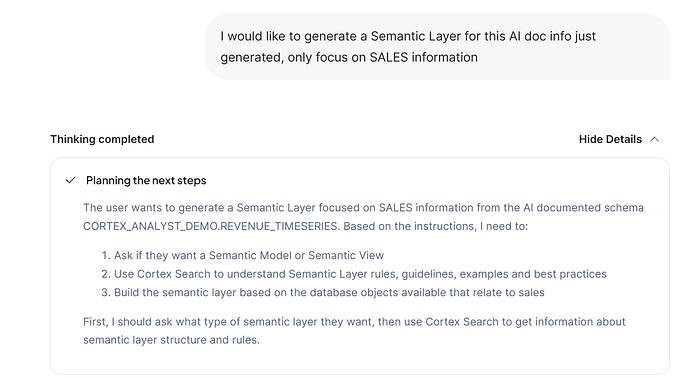
On the previous image, you can see what are the different planned steps the CDA will do, so you don’t have to worry about how to build it, CDA will check how to do it checking official documentation and it will use your data.
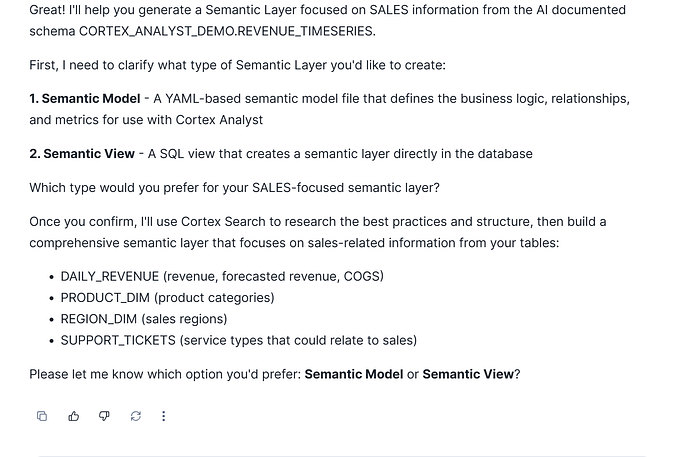
Semantic View
We are gonna confirm the type of the Semantic Layer we want to generate, the Semantic View ie.
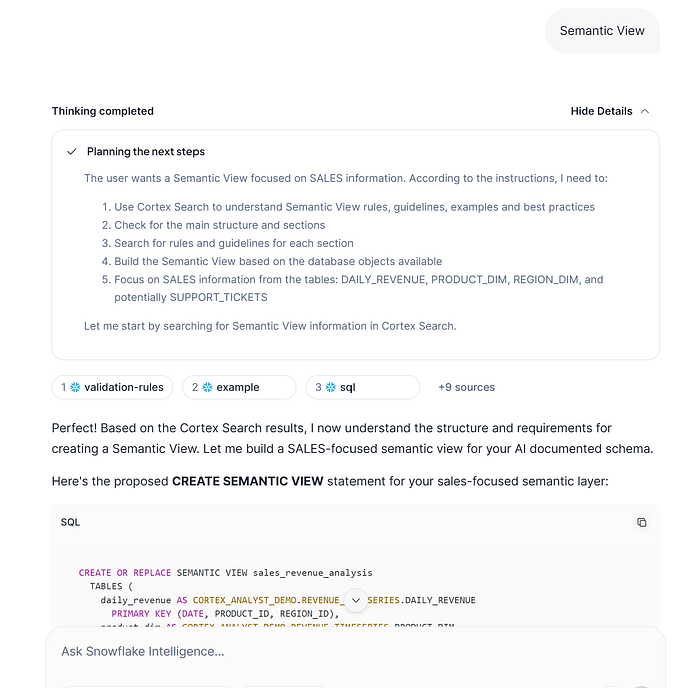
It’s showing what were the different instructions taken on the planned steps by the CDA, so it finally provides teh CREATE SEMANTIC view statement. Here, you could try to iterate, to change the name, to incorporate/remove tables, columns, etc.
In any case, at the end CDA suggests the next steps, if you want to do some further actions.
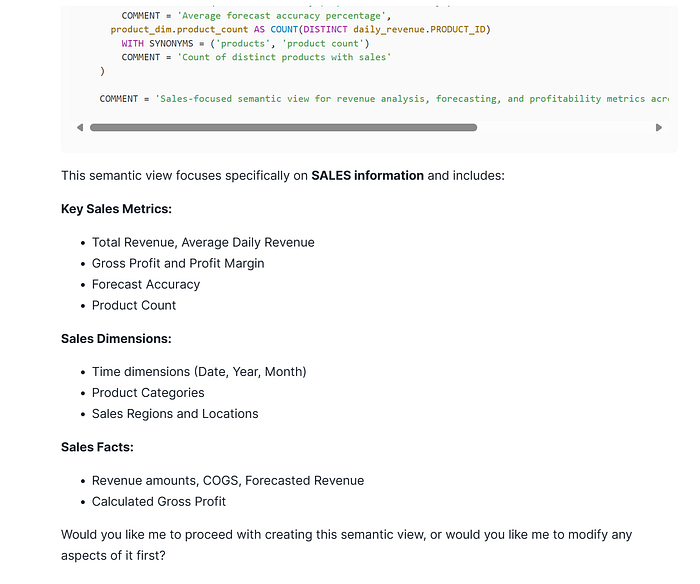
We are going to ask about to create the semantic view!!
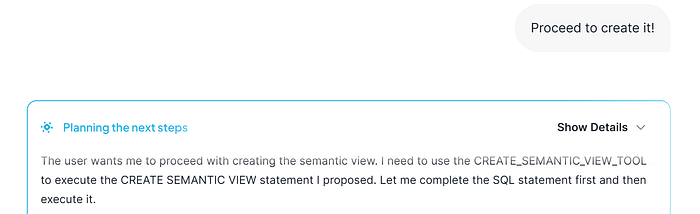
CDA directly detects what tool has to use in order to create the Semantic View. And finally, it creates it!
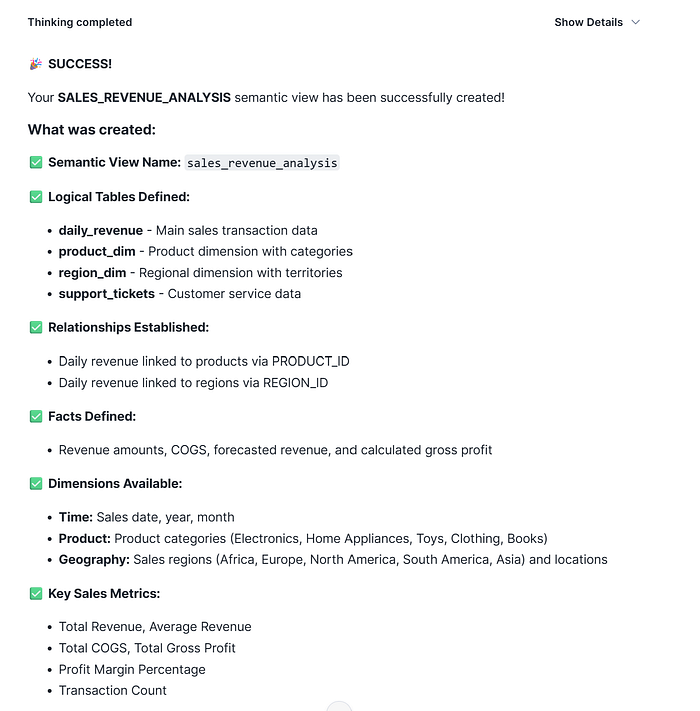
Now, it has been created the CDA suggests us what are the different next steps we can do:
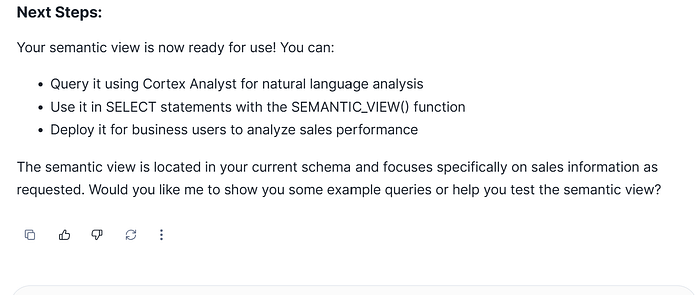
So, in that case we are gonna make it a try using with Cortex Analyst:
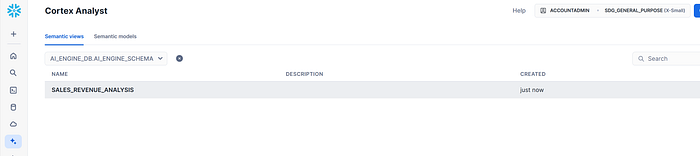
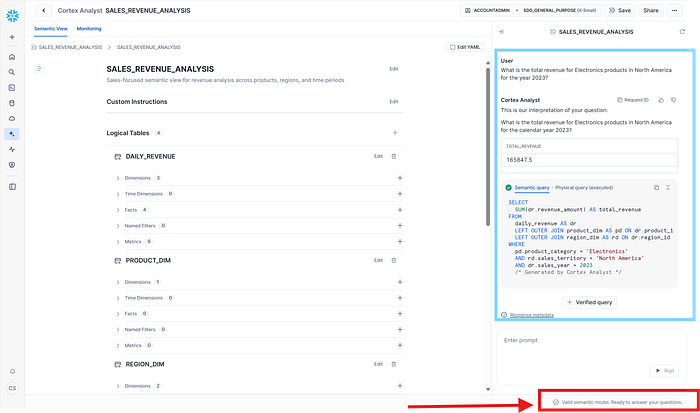
Verifying the Semantic View, and asking some questions:
Semantic Model
In case we want to build a Semantic Model, we can proceed from the beggining step we started to build the Semantic View, but we can also suggest to build it using this Semantic View due to your use case will be to provide access not only to your BI applications (Semantic View) so you want to provide accessibility to one specific CDA for one department using a Semantic Model.
We are going to proceed with the DataGovernance CDA:
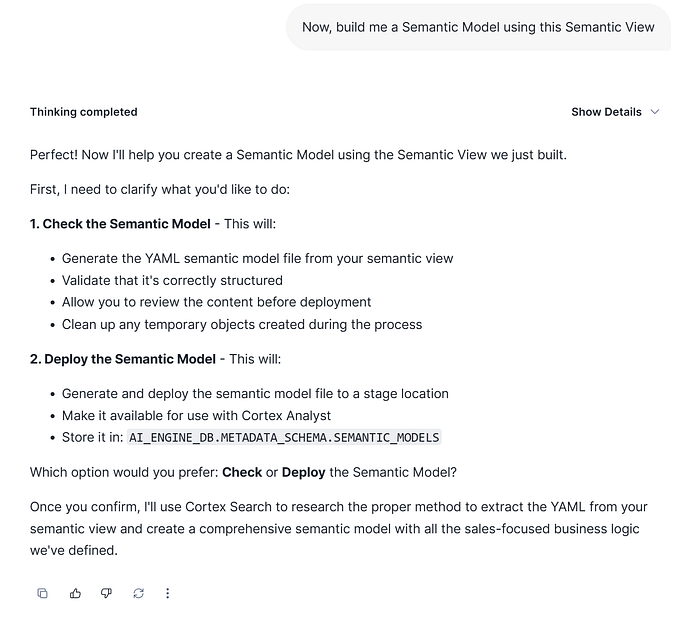
Here are the different steps that the CDA will take but previously needs to know if you want to check and visualize it previously to deploy, or directly deploy it with the instructions provided.
In that case, we are interested to check it previously:
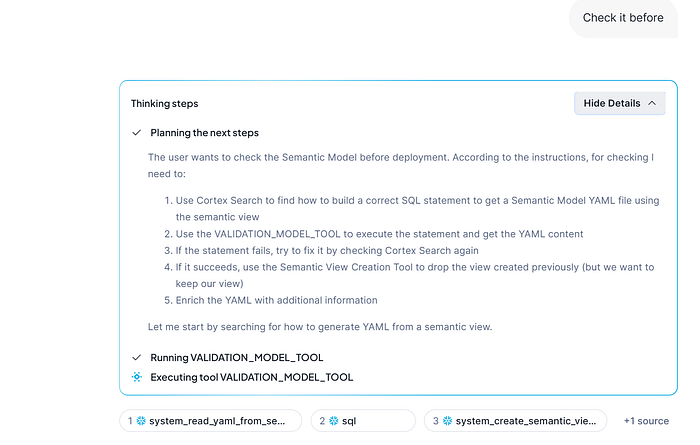
On the previous image, CDA has detected a method to convert directly from Semantic View to a Semantic Model using the CKE Cortex Search Service for Snowflake Documentation. Afterthat, it describes again all the action it will take part of the checking and validation process.
After the process finishes, it provides the summary Semantic Model report:
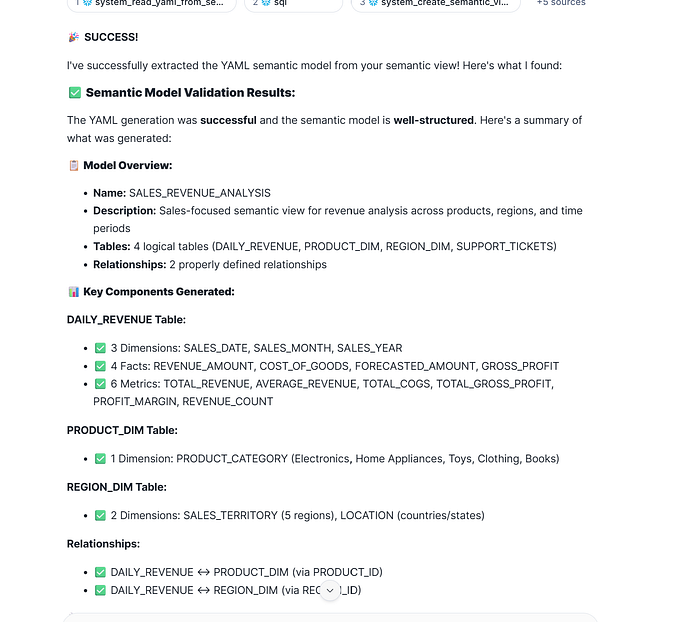
But we will pay attention on the FINAL recommendations and next steps done by CDA:
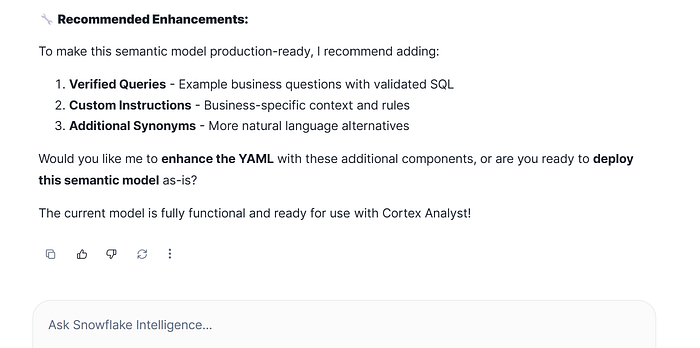
As per semantic model can provides more additional information, that could be useful for the Data Agent using Cortex Analyst. So in that case, we are gonna ask CDA to enhance existing Semantic Model:
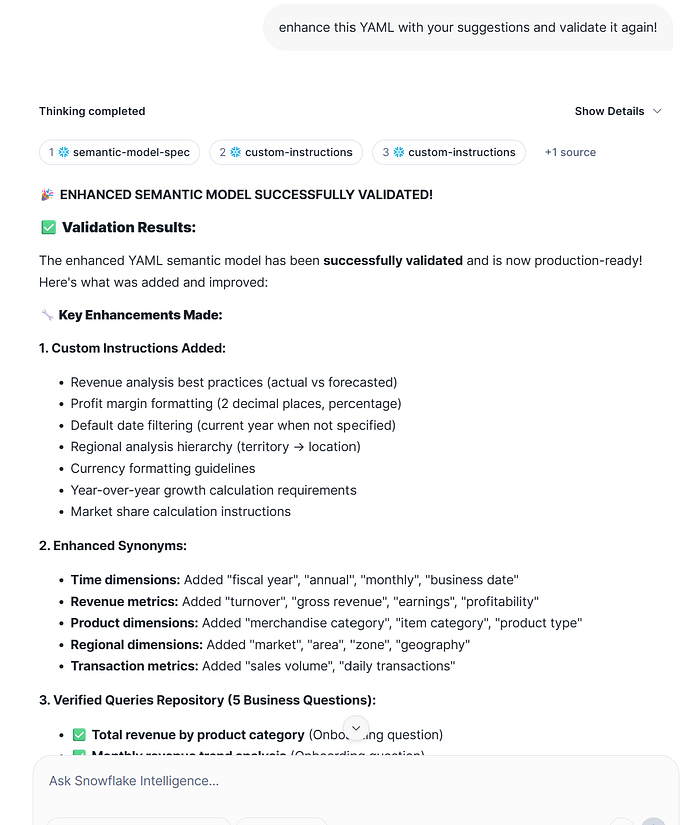
Finally we get our Semantic Model validated and enhanced with new information. CDA shows the next steps that can be taken:
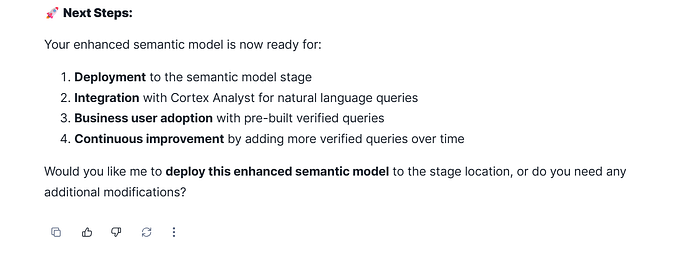
In that case, we are gonna proceed with the deploy of this semantic model to allow other tools as Cortex Analyst used it.
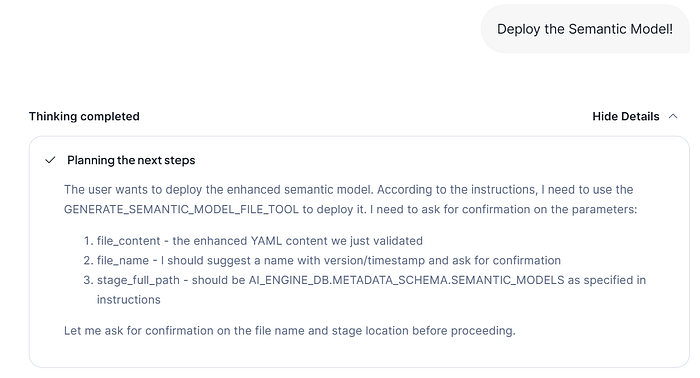
CDA knows has to use the Generate Semantic Model File Tool in order to deploy the YAML that contains the Semantic Model. It mentions the parameters that CDA needs that user confirms.
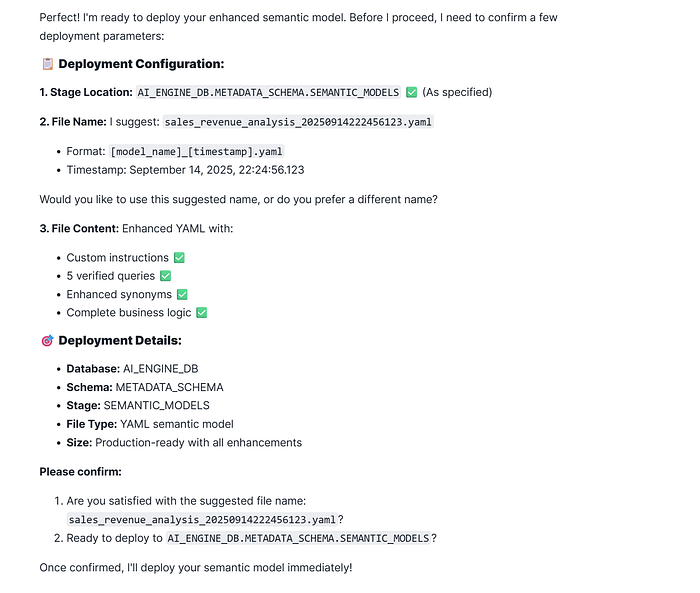
For the previous confirmation parameters (model file name and ready to deploy it), we can change them but we will proceed with default values. Take into consideration, that you can restrict that parameters: file name, stage path, etc, but remember the limits are in your imagination and your use case needs :)
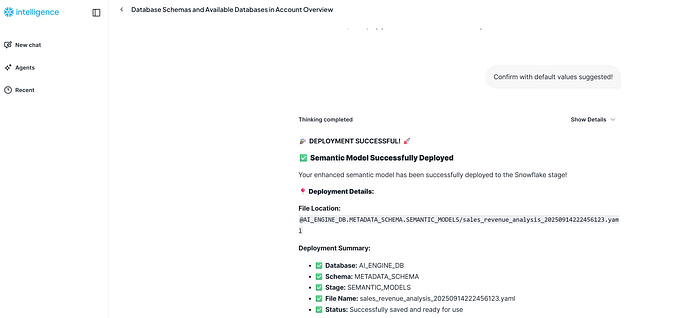
The deployment has been done successfully, and per confirmation you can use it!
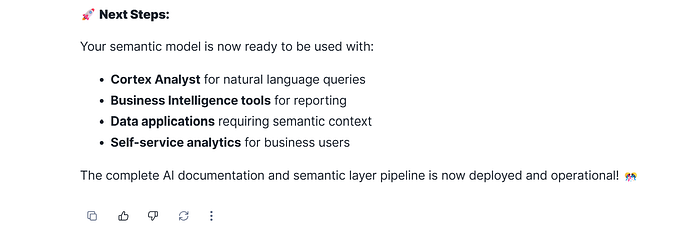
In that step, you could also re-iterate it if you want, but as per now we have finished.
So we are gonna verify that has been created and check it!
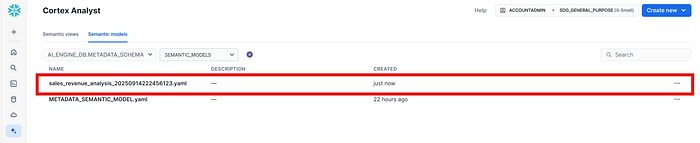
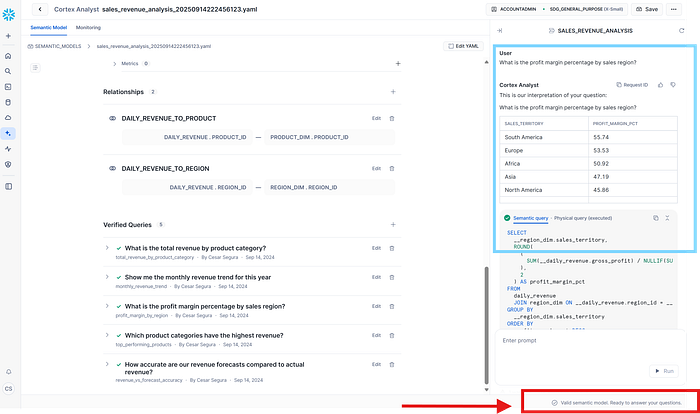
And finally, you get your Semantic Model enhanced, tested and ready to use!
We have implemented CDA (Cortex Data Agent) that allows us to benefit from multiple Data Governance tasks. Maybe you thought you would need to implement using other third party tools or Streamlit but not in this case. This CDA use tools with different purposes, that are in charge of explore your available data objects, use AI to document it, iterate it as per your DataGovernance process and applies your changes if requires it, and finally provide Semantic Access through using the AI documented information building the appropriate Semantic Layer objects for your BI and AI applications such as metrics, business concepts, custom instructions (onthology), etc.
The UI used has been Snowflake Intelligence, once we have selected our CDA in the chat, you could able to make interactions in any direction. But take into consideration, that you could alse use Cortex Agents REST API | Snowflake Documentation in order to implement and use it programmatically.
Important the role of CKE (Cortex Knowledge Extension) providing the capacity to generate / validate / correct semantic layers together with the ability of the agent to incorporate new functionalities, and add any new features provided by user instructions without the need the Users knows how semantic layers are built.
Next, take into consideration that the effectivity of your CDA will be based on different setup aspects: Description, Instructions, Orchestration details and model, Tool definition and descriptions.
Finally, you must ensure that your application can’t be used in a malicious way, so establish guardrails in your orchestration instructions and configuration.
At the end, the experience using these types of AI metholodigies, knowledge and testing are the base concepts you will need to become succed in your AI application implementation.
As a Subject Matter Expert on different Data Technologies, with 20+ years of experience in Data Adventures, I lead and advisor teams to get the best approaches and apply best practices.
I am a Snowflake DataHero 2025, Snowflake Certified on Advanced Architecture + GenAI Specialty, Snowflake Spotlight Squad Team Member 2024 and Snowflake Barcelona User Group Lead Chapter. I am working as a Snowflake Principal Architect at SDG Group.
As Data Vault Certified Practitioner, I have been leading Data Vault Architecures using Metadata Driven methodologies.
If you want to know more in detail about the aspects seen here, or other ones, you can follow me here on Medium || Linked-in here.
Article originally posted on Medium.